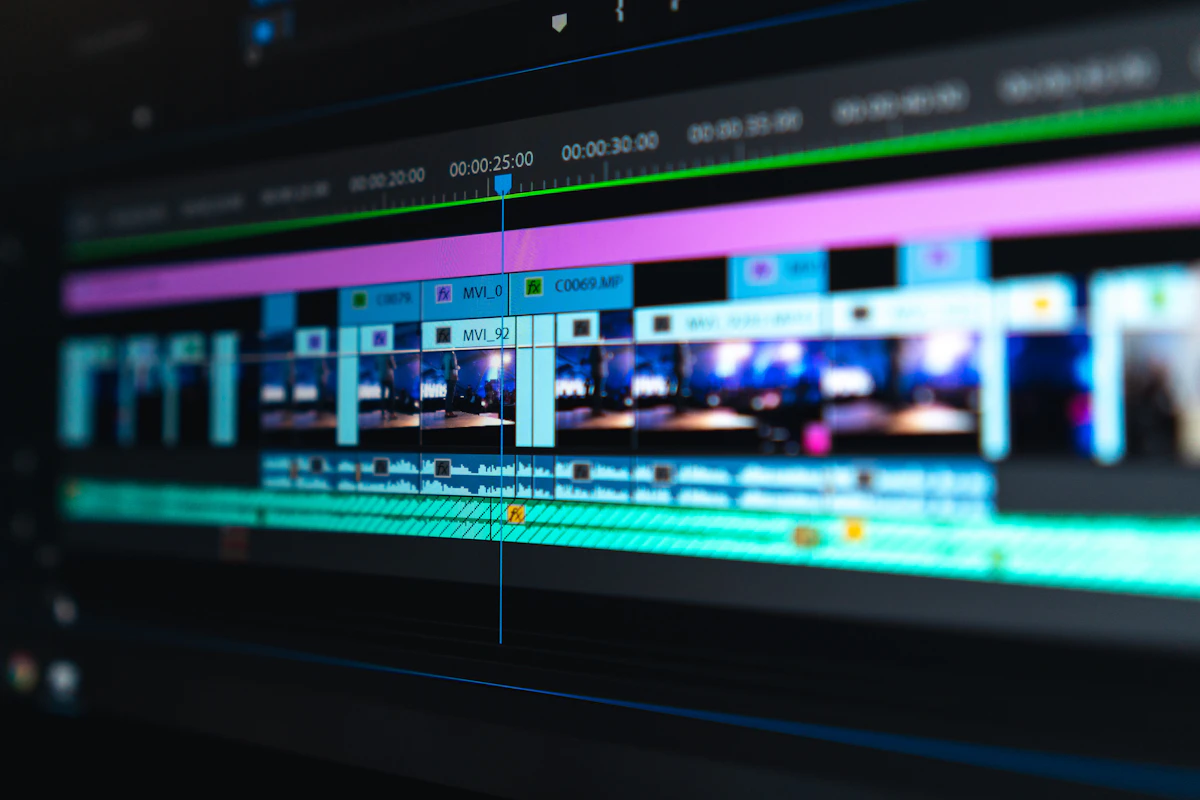
Adobe launched the Android version of its Premiere mobile video editing app on the Google Play Store on September 22, 2026. The app spent an entire year available only on iOS, leaving Android content creators relying on third-party tools like CapCut, VN, and InShot.
The Android release brings almost everything from the desktop and iPhone versions into a handheld format, with one detail that surprised creators: free, unlimited 4K exports with zero watermarks.
The Free 4K Strategy
Most mobile video editors follow an aggressive monetization model. Apps like CapCut or KineMaster often put an ugly logo watermark in the corner of your video unless you buy a subscription, or they cap your free export resolution at 1080p.
Adobe took the opposite approach here. Any creator with a supported Android phone can download the app, assemble multiple video tracks, and render clips in full 4K resolution at 60 frames per second without paying a fee. There is no trial period, no mandatory Creative Cloud subscription, and no watermark stamped onto your footage.
Core Features Inside the App
The app feels closer to desktop Premiere Pro than simple clip joiners:
- Multi-track timeline: You can stack multiple video layers, b-roll footage, sound effects, and titles with frame-by-frame precision.
- Enhance Audio: One of the strongest features carried over from Adobe's web tools. It analyzes audio recorded on smartphone microphones and removes room echo, wind noise, and background hums to make speech sound like it was recorded in a sound booth.
- Speed curves and transitions: Smooth speed ramping, reverse playback, and standard cut transitions are included out of the box.
- Foldable phone support: Adobe built specific interface layouts for devices like the Samsung Galaxy Z Fold and Google Pixel Fold, letting the timeline stretch across the inner screen while preview playback sits on top.
What Actually Costs Money?
While the basic editing and 4K exporting tools are free, Adobe has kept advanced generative AI features behind a paywall. Tools like Generative Fill for video, automated sound effect generation, and image-to-video tools require Firefly AI credits or a paid Creative Cloud plan. Extra cloud storage for backing up project files also requires an upgrade.
Hardware Requirements
You cannot run this on every budget Android handset. Adobe requires devices running Android 13 or newer with at least 5GB of system RAM. Rendering multiple 4K video streams on a mobile processor creates serious heat and memory pressure, so older chipsets may struggle or show the app as unsupported in the Play Store.
Why Adobe Made This Move Now
Over the past two years, ByteDance's CapCut has gradually moved several of its most popular editing tools, transitions, and export options behind a paid CapCut Pro subscription. Many creators were looking for an alternative that didn't demand \$10 a month just to export clean videos.
By releasing a polished, watermark-free editor on Android, Adobe is trying to introduce a new generation of mobile creators to the Premiere ecosystem. If you start on mobile Premiere today, you are much more likely to subscribe to desktop Premiere Pro when your channel or business grows tomorrow.
Hardware Codec Acceleration: MediaCodec & AV1 Decoding
Adobe's Android deployment leverages Google's updated Android MediaCodec API paired with dedicated silicon hardware decoders. On modern flagship chipsets (like the Snapdragon 8 Elite and Dimensity 9400), rendering 10-bit 4K 60FPS HEVC and AV1 timelines executes directly on the SoC's hardware video processing unit (VPU), preventing thermal throttling during multi-track timeline scrubs.
Color Space Pipeline: Rec.709 vs. HLG / HDR10 Dynamic Export
The application supports native 10-bit color grading with full Rec.709 and HLG HDR monitoring. Real-time GPU lut transforms permit mobile videographers to apply custom .cube LUTs directly on raw smartphone log footage without dropping preview frame rates.
- ⚡ GTA 6 Is 57 Days Away: Vice City Sign in Miami, 34-Track Album, and Multiplayer in 2027
- ⚡ 10 Big Games Releasing in October 2026: From Gears of War to Call of Duty MW4
- ⚡ The 2026 Gaming Rush: 5 Massive Blockbusters Dropping Before GTA 6 & The Handheld PC Wars
- ⚡ How to Install PS5 Firmware Update Manually via USB Safe Mode & Fix Update Error Codes (2026 Guide)
- ➔ How to Install PS5 Firmware Update Manually via USB Safe Mode & Fix Update Error Codes (2026 Guide)
- ➔ How to Install PS5 Firmware Update via USB & Fix Boot Errors
- ➔ Why 'Meccha Chameleon' Is the Latest Low-Poly Hide-and-Seek Game Taking Over Twitch and TikTok
- ➔ GTA 6 Is 57 Days Away: Vice City Sign in Miami, 34-Track Album, and Multiplayer in 2027


💬 Reader Discussion & Feedback 0